1. Overview
1a. Purpose
A wall-mounted sliding whiteboard is a glossy, white surface for making non-permanent markings. Whiteboards are analogous to blackboards, but with a smoother surface, allowing for rapid marking and erasing of markings on their surface.
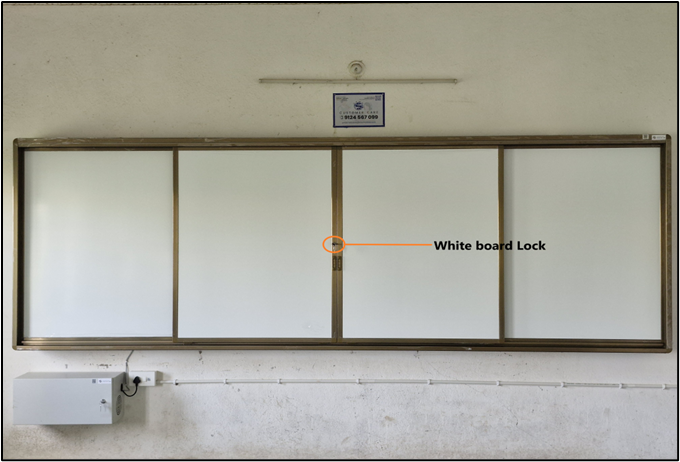
The sliding white board comes with a lock to protect the things under it, such as the IFP Panel, Router, Microphone Receiver, and Web Camera
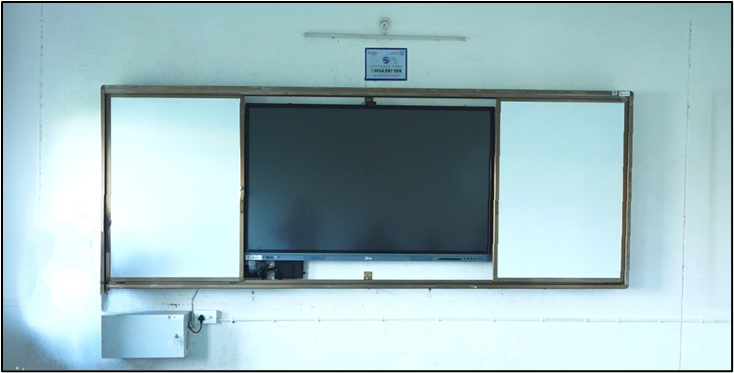
1b. Maintenance
Regular maintenance and proper cleaning of a whiteboard are essential to ensuring its longevity and optimal performance. This guide provides instructions on how to maintain and clean your whiteboard safely and effectively.
General Maintenance
Regular Inspections:
Check for Damage: Periodically inspect the whiteboard for scratches, dents, or any signs of wear and tear that could affect its usability. Make sure not to use sharp objects or permanent markers, pens, or other objects.
Accessory Maintenance: Ensure that the whiteboard markers, erasers, and other accessories are in good condition and replace them as needed.
Proper Usage:
Use Approved Markers: Only use whiteboard markers designed for dry-erase surfaces. Other types of markers can cause stains and damage.
Avoid Excessive Pressure: Write gently to prevent scratches and dents on the whiteboard surface.
Cleaning Instructions
Cleaning Frequency: Clean the whiteboard regularly to prevent the buildup of marker residue and stains. For high-usage environments, daily cleaning is recommended.
Cleaning Materials:
Dry Eraser: Use a high-quality dry eraser to remove marker ink. Replace the eraser periodically to ensure effective cleaning.
Whiteboard Cleaner: Use a whiteboard cleaning solution if necessary. Avoid using harsh chemicals, as they can damage the whiteboard surface.
Soft Cloth: Use a soft, lint-free cloth, such as a microfiber cloth, for cleaning. Paper towels can be abrasive and may scratch the surface.
Cleaning Process
Daily Cleaning:
Erase Marks: Use a dry eraser to remove all marker ink from the whiteboard.
Inspect the surface. Check for any remaining marks or stains.
Deep cleaning (as needed):
Erase Marks: Use a dry eraser to remove all marker ink from the whiteboard.
Apply Cleaner: Spray a small amount of whiteboard cleaner or a mixture of water and mild soap onto a soft cloth. Avoid spraying directly onto the whiteboard to prevent excess moisture.
Wipe Surface: Gently wipe the whiteboard surface with the damp cloth, focusing on areas with stains or ghosting (faint marker residue).
Dry Surface: Use a dry, soft cloth to remove any remaining moisture and polish the whiteboard surface.
Removing Stubborn Stains:
Gentle Scrubbing: Use a soft cloth or sponge to gently scrub the stained area. Avoid using abrasive materials that can scratch the surface.
Rinse and Dry: Wipe the area with a cloth dampened with water to remove any alcohol residue, then dry with a soft cloth.
Tips for Effective Maintenance
Avoid Prolonged Marker Exposure:
Do not leave marker ink on the whiteboard for extended periods of time. Erase marks at the end of each day to prevent staining.
Store markers properly:
Store whiteboard markers horizontally with the caps securely on to prevent them from drying out.
2. Troubleshooting
- Sliding Door Not Locking: Ensure that the door is properly aligned with the lock mechanism.
- Sliding Door Not Closing: Make sure there are no objects or cables coming out the level of the sliding door board and always be gentle while closing the sliding board; it might damage the board or other products behind it
3. Product Support
The wall-mounted whiteboard is mapped to a serial number and a QR code, which can also be scanned for the product serial number. It is to be provided to the support staff during the lodging of a product issue/complaint for easy identification of the product.
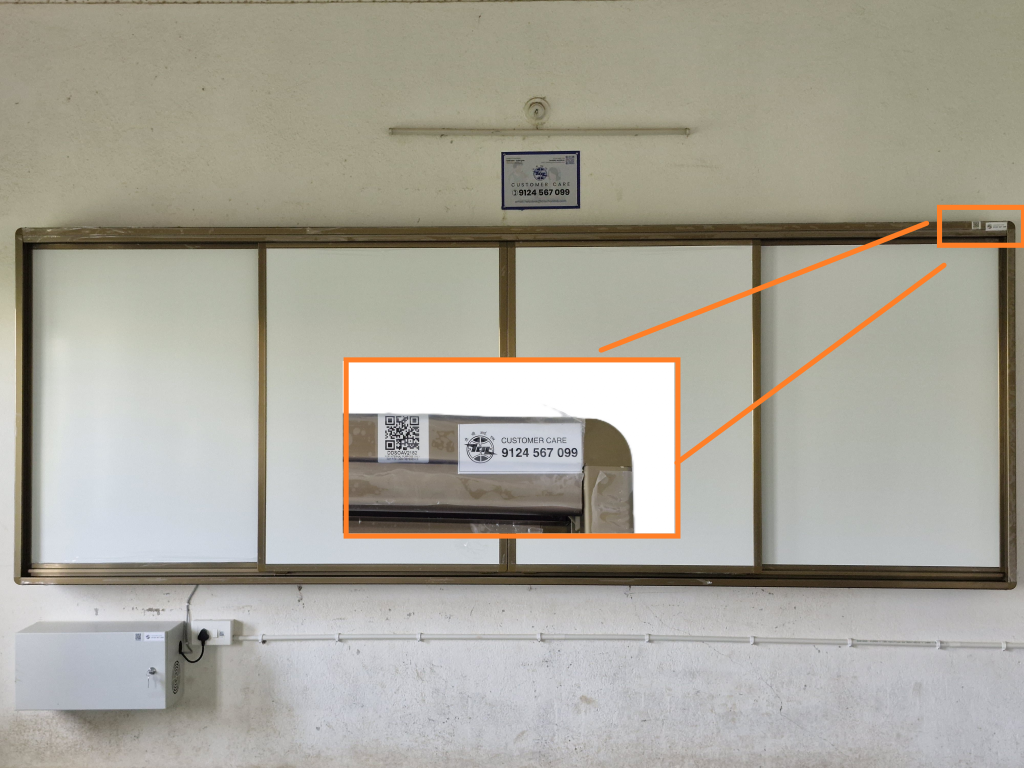
The product is provided with a customer care contact number. You can raise the product issue with the help of the serial number mentioned or by scanning the QR to fetch the serial number.
For any queries or further assistance, please contact our Customer Support:
- Phone: 9124 567 099
Email: helpdesk@ictschoollab.com